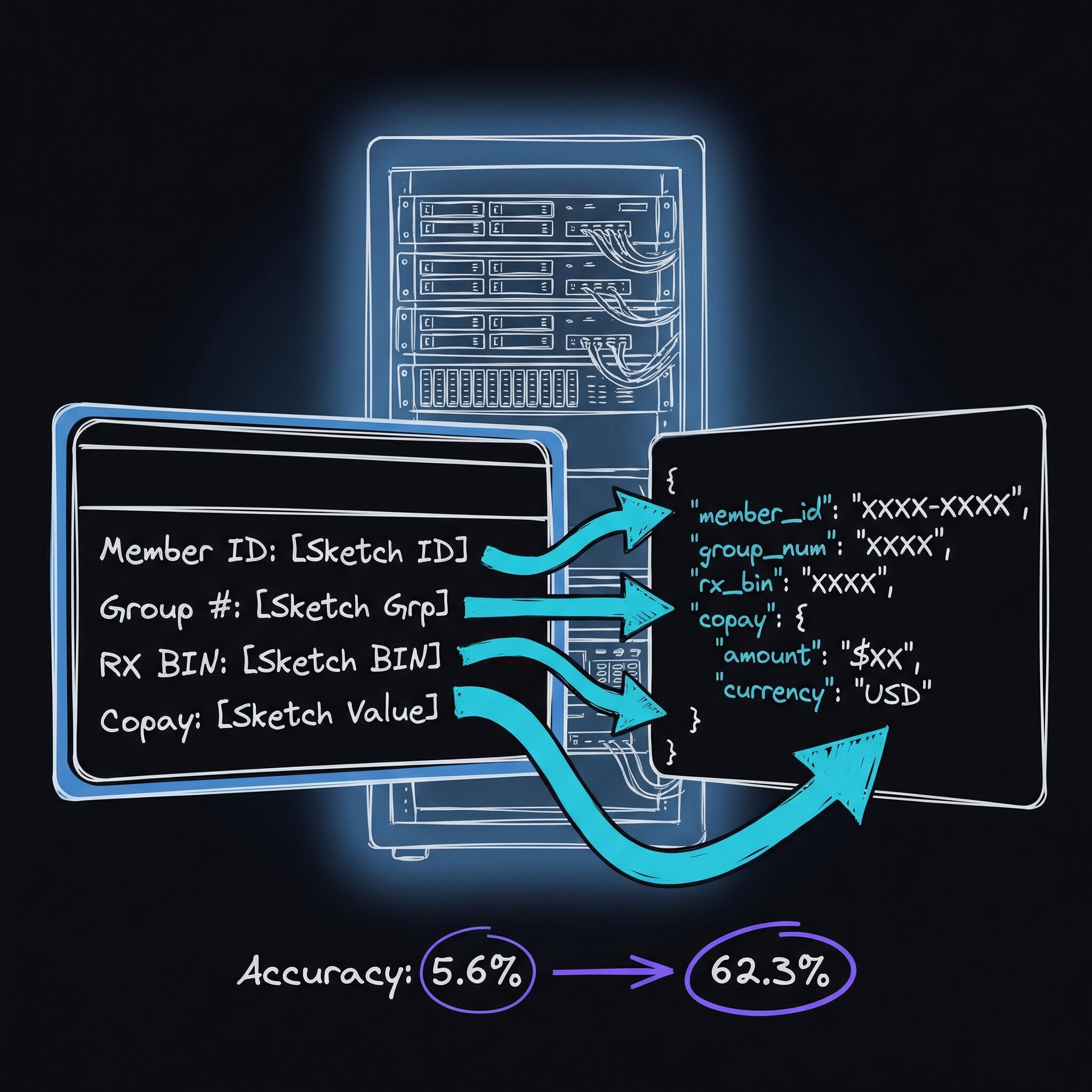
My first attempt extracted 5.6% of an insurance card’s fields correctly.
I’d fed a photo of the card to gemma3:12b — a 12-billion-parameter vision model, the kind of AI that reads images instead of text — with a JSON template full of null values, asking it to fill them in. (JSON is just a text format for labeled fields; the template was a form with every answer left blank.) It gave me the template back, unchanged, nulls intact. The model had decided the empty form was the right answer.
That was the first of five phases. The final score was 62.3% on a real, varied benchmark. A self-hosted vision model cannot yet replace commercial OCR — optical character recognition, software that turns pictures of text into actual text — for fully automated insurance-card extraction. Commercial services sit around 95%+ and charge roughly $0.10–$0.50 per page. My local setup gets 62.3%, costs nothing per inference (a single model run), and keeps patient insurance data on the machine. That is not enough for hands-off automation. It is genuinely useful for pre-filling fields that a person then corrects. I also fooled myself with a cherry-picked test set along the way.
The problem
Every patient who walks into an urgent care clinic hands over an insurance card. That card carries about a dozen fields — member ID, group number, copays, RX BIN (the six-digit number pharmacies use to route prescription claims), payer ID (the identifier used to submit bills to the insurer) — that someone has to type into the system by hand. It’s slow, it’s error-prone, and it scales badly across multiple clinic locations.
Commercial OCR APIs solve this, but they charge twice: dollars per page (typically $0.10–$0.50 per inference), and the requirement to send patient insurance data to external servers. For a healthcare operation processing thousands of cards a month, both costs add up.
I wanted to know whether a local vision model on one GPU could extract enough of the card to be useful.
The stack
I built CardOCR as a lightweight FastAPI service running on a local GPU server. (FastAPI is a Python web framework for standing up HTTP endpoints quickly; a GPU is the graphics card whose memory holds the model while it runs.)
- Hardware: Intel i9-10900K, 62GB RAM, NVIDIA RTX 3090 (24GB VRAM)
- Framework: FastAPI (Python)
- Vision Model: minicpm-v:8b via Ollama (Ollama runs large models on your own machine instead of calling a cloud API)
- Process Manager: systemd (Linux’s built-in service supervisor, which restarts the service if it crashes)
The service exposes a simple REST endpoint — REST being the conventional way web services exchange data over HTTP. You POST an image (send it as an HTTP request carrying the file), and you get back structured JSON with the extracted values. The entire deployment fits in a handful of files:
cardocr/
  app/
    main.py              # FastAPI app, REST endpoints
    extractor.py         # Ollama vision extraction + image preprocessing
    mindee_compat.py     # Response format wrapper
    config.py            # Configuration (model, URLs, timeouts)
  cardocr.service        # systemd unit file
Five attempts
Getting from “it runs” to “it is useful” took five phases. The score changed at each one.
Phase 1: Naive Approach — 5.6% Accuracy
My first attempt used gemma3:12b with a null-template prompt — handing the model a JSON form with every field set to null and asking it to replace the nulls with whatever it read off the card.
Root cause: vision models treat a null template as the expected output. The model returned the template unchanged because the nulls looked like the correct answer.
Phase 2: Model Selection — 39.2% Accuracy
Switching to minicpm-v:8b and Ollama’s /api/chat endpoint instead of /api/generate made a massive difference. For structured extraction, it consistently outperformed /api/generate. The chat interface gives the model context about the task. /api/chat uses the instruction-tuned path — the training that teaches a model to follow directions — while /api/generate is a raw text-completion endpoint that just predicts what words come next.
Lesson: model selection matters more than prompt engineering. Gemma3 fundamentally could not read insurance cards; MiniCPM-V excelled at it with the same prompts.
Phase 3: Descriptive Prompts — 60.7% Accuracy
Instead of asking the model to fill a template, I described each field, where it usually appears on a card, and what format to expect. For example, RX BIN is usually a 6-digit number near the pharmacy benefit information.
Phase 4: Image Preprocessing — 73.8% Accuracy
This produced the most accuracy for the least effort. I used two simple transforms:
- Upscaling: making sure the shortest dimension of the image is at least 1200 pixels
- Contrast enhancement: applying a 1.15x contrast multiplier (boosting the difference between light and dark areas by 15%)
The upscaling alone added 13 percentage points. Insurance cards are small, and phone photos of them are often blurry — giving the model more pixels to work with made a dramatic difference.
Why 1.15x contrast? I tested multipliers from 1.0 to 1.5. Too little contrast and faded text stays unreadable. Too much and colors bleed together, making colored text on colored backgrounds worse. 1.15x hit the sweet spot. That made preprocessing the first thing I’d try before blaming the model.
Phase 5: Benchmarking on Diverse Data — 62.3% Accuracy
This is where the first result fell apart. Ten carefully selected images showed 80.2% accuracy. A diverse 30-image benchmark with different card designs, lighting conditions, and image quality dropped that to 62.3%.
The diverse benchmark is the number I trust. The most important lesson of the project was that a benchmark needs diverse, representative data. A narrow test set gives false confidence.
Field-Level Results
Not all fields are created equal. Here’s the breakdown across 30 test images:
the mechanism — why each optimization worked
Why /api/chat beats /api/generate for extraction
Ollama’s /api/generate is a raw completion endpoint — it predicts what comes next after your prompt. /api/chat routes through the model’s instruction-tuning layer (the same path used during fine-tuning with human feedback), which is where structured-output behavior was trained in. MiniCPM-V’s vision encoder is also more tightly coupled to the chat message format; images passed via messages[].content[].image_url get proper cross-attention to the text tokens in a way that /api/generate’s images[] field does not guarantee.
The PIL preprocessing — concrete recipe
from PIL import Image, ImageEnhance

def preprocess(path: str) -> Image.Image:
    img = Image.open(path).convert("RGB")
    # Upscale so shortest side ≥ 1200 px
    w, h = img.size
    scale = max(1.0, 1200 / min(w, h))
    if scale > 1.0:
        img = img.resize((int(w * scale), int(h * scale)), Image.LANCZOS)
    # Mild contrast lift — 1.15x is the empirical sweet spot
    img = ImageEnhance.Contrast(img).enhance(1.15)
    return img
Run python -c "from preprocess import preprocess; preprocess('card.jpg').save('out.jpg')" before and after — you’ll see faded text snap into legibility at typical phone-photo quality.
Why null-template prompts fail
Vision models are autoregressive: they continue whatever pattern the prompt establishes. A JSON blob with null values is a valid, complete JSON document — so the model’s highest-probability continuation is often to return it unchanged. Replace nulls with descriptive placeholders ("<6-digit number near pharmacy section>") and the model is forced to hallucinate a value rather than echo the template.
Per-field accuracy on 30 diverse cards
| Field | Accuracy |
|---|---|
| Company Name | 86.5% |
| Member Name | 79.6% |
| RX BIN | 79.4% |
| Member ID | 75.9% |
| Group Number | 65.9% |
| RX PCN | 64.3% |
| Plan Name | 56.2% |
| Copays | 47.5% |
| RX Group | 43.8% |
| Payer ID | 40.0% |
| Enrollment Date | 33.3% |
| Overall Average | 62.3% |
The pattern is straightforward. Large, prominent text such as company and member names extracts well. Small fields with variable formats, such as enrollment dates and payer IDs, are much harder. Copays are particularly tricky to extract because they appear in different formats across insurers: sometimes a table, sometimes inline, sometimes with dollar signs, sometimes without.
Where it fits
Ten cherry-picked images suggested 80% accuracy. Thirty diverse images showed 62%. The latter is the number I use.
At 62% accuracy, this is not a commercial OCR replacement. Commercial services reach 95%+ but cost $0.10–$0.50 per page instead of zero marginal cost. Whether that tradeoff works depends on the use case. Pre-filling fields for human review is viable; fully automated extraction is not. The system is useful as:
- A pre-fill assistant: extract what you can, let staff correct the rest. Even 62% accuracy reduces keystrokes significantly.
- A triage tool: identify the insurance company and plan type to route the card to the right workflow.
- A privacy-first option: when sending patient data to external APIs isn’t acceptable, some accuracy is better than none.
- A starting point: the architecture supports swapping in better models as they become available. Vision models are improving fast.
What remains
Several optimizations remain untested:
- Multi-pass extraction: run different prompts targeting different field groups, then merge results
- Card-type detection: identify the insurer first, then use insurer-specific field hints
- Fine-tuned models: train on a labeled dataset of insurance cards (the biggest potential accuracy gain)
- Confidence calibration: let the model express uncertainty so low-confidence extractions get flagged for human review
- Back-of-card extraction: many fields (RX info, appeals numbers) live on the back
The self-hosted vision model space is moving fast. Models that could not read insurance cards a year ago now extract most fields correctly. The gap with commercial services will keep closing, and when it does, having the local infrastructure already in place will be a real advantage.