I found the bug at 11:47 PM on a Thursday.
The feature had shipped three days earlier. Two senior engineers had approved the PR. The diff was clean — proper error handling, sensible defaults, tests passing. And yet there it was in Sentry, quietly blowing up for 4% of users who happened to have a null middle name in our database. The review caught the happy path. It missed the empty string that wasn’t null.
That specific failure mode — boundary conditions on optional fields — is what single-pass code review systematically misses. Not because reviewers are careless. Because one person looking at a diff from one angle will find one set of problems and miss another. The bugs don’t cooperate with the review flow.
I wanted to build something different — a code review tool that attacks the same codebase from every angle, iterates until it genuinely finds nothing new, and doesn’t stop just because the first pass looked clean. I called it BugBot.
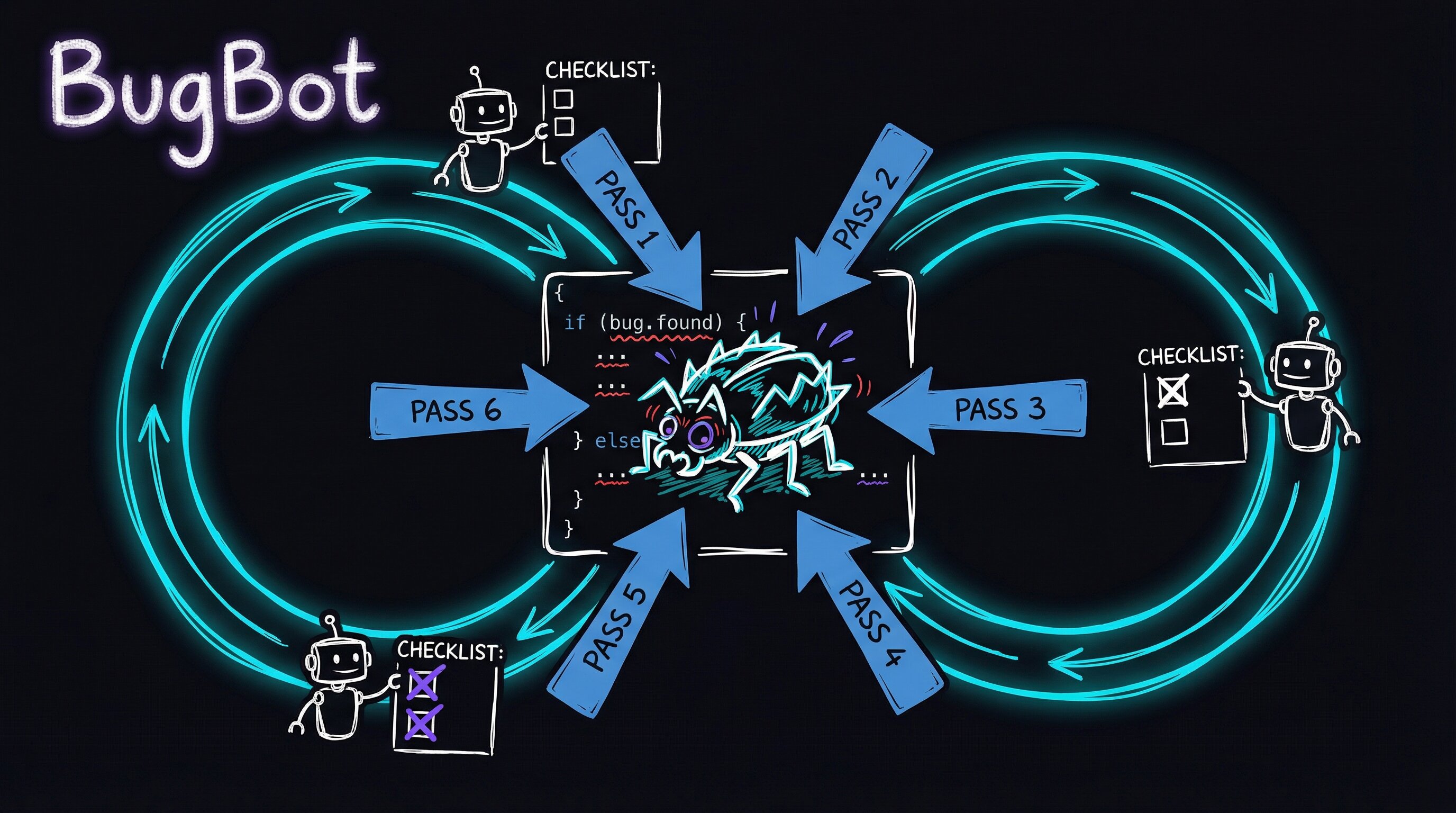
Completeness is the hard problem. Not thoroughness.
Most code reviews are thorough on the obvious path. The reviewer opens the diff, reads through it, catches a few things, leaves some comments, approves. That’s thorough. But bugs don’t live on the obvious path — they hide in the interactions between features, at the edges of data types, in the paths that only fire under load.
BugBot is built around a single constraint: keep reviewing until a complete pass finds zero new CRITICAL or HIGH severity issues. Not “until you’ve looked at the diff once.” Until you’ve exhausted every meaningful attack angle and the code genuinely holds up.
Right now there’s no CRITICAL or HIGH finding to apply — so we must be done, right? I’d written a three-pass loop and it had found two real bugs in iteration 1, nothing in iterations 2 and 3. But I hadn’t exercised half the trigger categories. The box for “error recovery” was still unchecked. “Configuration” too. I knew exactly where I hadn’t looked yet — and that’s where production bugs live.
That’s the difference between feeling done and being done.
Under the hood, BugBot runs inside a persistent execution loop. Each iteration spawns a fresh Claude Code agent session, fed by a shared state file on disk. Each iteration picks a new set of attack angles, runs parallel review agents, fixes what it finds, then decides: keep going, or declare clean.
# .claude/review-state.md (after iteration 2)

## Trigger Coverage
- [x] Simple path    → Iteration 1: angles 1, 5
- [x] Complex path   → Iteration 1: angle 6
- [x] Boundary       → Iteration 2: angle 22
- [ ] Error recovery
- [x] Stress/volume  → Iteration 2: angle 23
- [x] Interaction    → Iteration 1: angles 1, 2, 3
- [ ] Configuration
The state file is the only memory across iterations. The loop starts fresh each time, reads the file, picks untried angles, and continues. No context carried forward. No bias from what passed the first time.
What I stole (and from whom)
I didn’t invent any of this from scratch. BugBot is a synthesis — techniques borrowed, combined, and wired together:
the mechanism
The loop is intentionally stateless per iteration — each agent spawns with a clean context window and reads review-state.md from disk to pick up where the previous pass left off. This sidesteps context-length drift and ensures findings from iteration 1 don’t unconsciously bias iteration 3. The shared state file is the only coupling.
Parallel agents review the same diff simultaneously with shuffled file orderings (borrowed from Cursor BugBot’s finding that reading order affects which patterns surface first). Each agent produces structured findings: file:line, severity (S1–S3), confidence (C1–C3), trigger category, and a Missing/Wrong/Unclear classification. A dedup pass then merges findings by location and symptom before any fix is applied — the same bug found by three agents at three angles becomes one high-confidence signal, not three noisy tickets.
The confidence matrix (Severity × Confidence) gates what actually blocks the loop. Only findings that score CRITICAL or HIGH get actioned. You can implement the core gating logic in a few lines:
# Confidence × Severity gate — only CRITICAL/HIGH block the loop
GATE = {
    ("S3", "C3"): "CRITICAL",
    ("S3", "C2"): "HIGH",
    ("S2", "C3"): "HIGH",
    ("S3", "C1"): "MEDIUM",
    ("S2", "C2"): "MEDIUM",
    ("S1", "C3"): "MEDIUM",
}

def blocks_merge(severity: str, confidence: str) -> bool:
    return GATE.get((severity, confidence), "LOW") in ("CRITICAL", "HIGH")
To try the loop structure yourself: maintain a plain markdown checklist of your trigger categories (- [ ] boundary, - [ ] error recovery, etc.) as the state file. Each review pass checks off the triggers it exercised. Don’t declare done until all boxes are checked — that single constraint forces you to deliberately seek out the edge cases most reviews skip.
The insight from studying all these tools is that they each attack different failure modes. No single technique dominates — you need all of them.
Seven triggers you can’t skip
One of the most useful frameworks I borrowed was IBM’s Orthogonal Defect Classification — specifically the concept of ODC triggers: the conditions that cause bugs to surface. Not what the bug looks like, but what made it visible.
| Trigger | Description |
|---|---|
| Simple path | Happy path, normal inputs |
| Complex path | Multi-step flows, conditional branches |
| Boundary | Edge values, empty/null/max |
| Error recovery | What happens when things fail? |
| Stress/volume | High load, large data, rapid interaction |
| Interaction | Cross-feature, cross-component effects |
| Configuration | Different settings, roles, environments |
BugBot won’t declare ALL_CLEAN until all seven triggers have been exercised. This is the key difference from “we reviewed the diff.” It’s not about lines read — it’s about which failure modes you’ve actually tested.
That “error recovery” row is the one that catches the null-middle-name bug from my 11:47 PM Thursday. It’s also the row most reviews skip entirely — because reviewing error handling means imagining failure, not just reading what’s on the page.
Every finding earns its severity
Not all bugs are equal. Not all bug reports are equally credible. BugBot requires every finding to be scored on two axes before it gets acted on — how bad would this be if real (severity), and how sure are we that it is real (confidence):
| C3 Confirmed | C2 Probable | C1 Possible | |
|---|---|---|---|
| S3 Critical | CRITICAL — fix before merge | HIGH — fix before merge | MEDIUM |
| S2 Moderate | HIGH — fix before merge | MEDIUM | LOW |
| S1 Minor | MEDIUM | LOW | INFO |
Only CRITICAL and HIGH findings block the ALL_CLEAN promise. This stops the tool from generating a wall of low-confidence noise and forcing you to fix speculative issues before shipping.
The evidence requirement is strict: every finding needs an exact file:line, a code snippet, a trigger scenario, and a Missing/Wrong/Unclear classification. No handwavy “this might be a bug.” Concrete or it’s downgraded.
A finding that says “the auth check looks weird” with no line number and no reproduction? That’s INFO at best. A finding that says “auth.ts:47 — req.user is accessed before the requireAuth middleware on line 52, confirmed by curl with no session cookie returning 500 instead of 401”? That’s CRITICAL.
28 attack angles, 4–5 per pass
Each iteration picks 4–5 untried angles from a catalog of 28. The catalog covers seven categories:
- Cross-feature interactions — what other features read data this one writes?
- Data integrity — round-trip consistency, NULL vs empty vs missing, type coercions
- Client-server contract — response shape, validation mismatch, error path UX
- Security & safety — XSS, authorization gaps, audit trail completeness
- Template & display — missing variables, i18n, accessibility
- Edge cases & stress — empty state, max capacity, concurrent editing
- Ecosystem impact — search index, exports, API consumers
Critically, agents review files in a shuffled order — different per agent. This came from Cursor BugBot’s research showing that reading order affects which patterns an agent notices first. It’s a small thing that shouldn’t matter. It matters a lot.
What a typical run looks like
Iteration 1: angles 1, 5, 6  →  2 HIGH bugs found  →  fix + regression tests  →  continue
Iteration 2: angles 3, 9, 12 →  0 CRITICAL/HIGH    →  5/7 triggers covered   →  continue
Iteration 3: angles 11, 14, 16 → 0 CRITICAL/HIGH   →  7/7 triggers covered   →  ALL_CLEAN
Three iterations. Two bugs fixed. Two regression tests written. The loop does the work.
The thing I didn’t expect: iteration 2 finding nothing felt suspicious the first time. I had to resist the urge to add more angles just to feel productive. But that’s the point — the trigger checklist tells you when you’re done, not your anxiety.
What this changed about how I think about review
Building BugBot made something obvious that wasn’t before: the hard problem in code review isn’t being thorough on the happy path. It’s knowing when you’ve covered enough failure modes to stop. Most reviews are thorough. They’re not complete.
The ODC trigger framework gives you a way to know when you’re done. Not “when you feel done” — when specific failure mode categories have been exercised and came back clean. That’s a meaningful standard. It’s also falsifiable: someone can look at your checklist and say “you didn’t test error recovery.” They can’t look at a standard review and say “you didn’t read carefully enough” with the same precision.
The null-middle-name bug I found at 11:47 PM? It would have been caught in iteration 1, angle 8 — “boundary values on optional string fields.” A machine checking a checklist would have found it. Two senior engineers on a single pass didn’t.
That’s not an indictment of the engineers. It’s an indictment of the process.
Part 2 covers what happened when I ran this in practice: why fresh context per iteration turned out to be a feature, how consensus signals emerged from independent agents, and the lessons I’d apply to any code review process — with or without a tool.