I came back to my desk after lunch, opened Claude Code, and asked a review agent to glance at the alternate-phone-numbers feature I’d shipped that morning. Seventeen unit tests. All green. Linter quiet. I was confident.
The agent found three bugs in under two minutes.
A json.loads call that could return a non-list. A primary phone that wasn’t normalized before comparison. Changing the primary phone left a stale const in the JavaScript — the variable said “constant” but the value changed after a fetch, and the runtime just swallowed it.
None of these were bugs in the feature. They were bugs between the feature and everything else. The unit tests couldn’t see them because unit tests don’t know adjacent features exist. They test the code you wrote. They don’t test the code you forgot to write.
That afternoon I built BugBot.
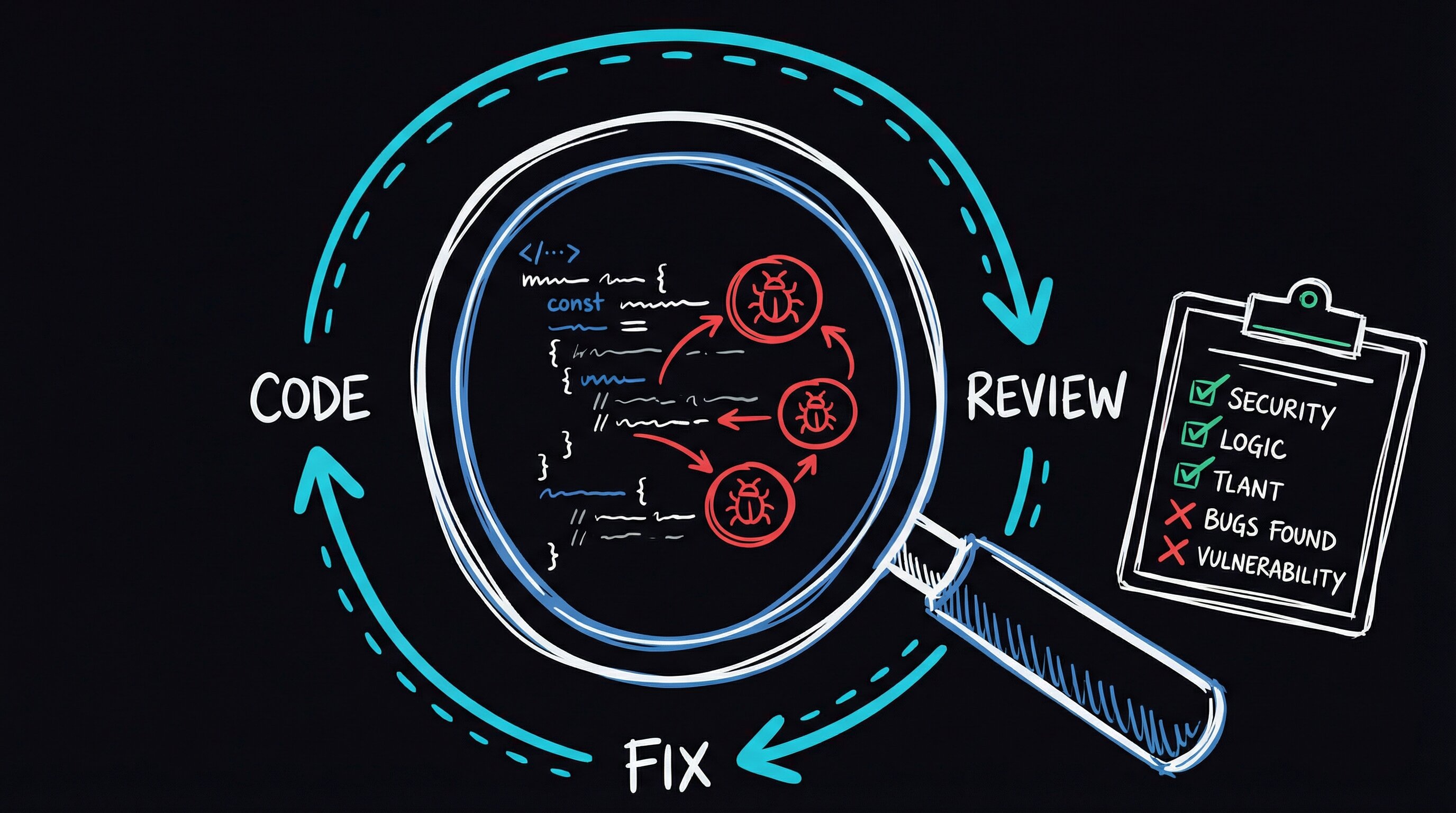
I needed something that attacks code the way a hostile codebase attacks a new feature
Not a linter — linters find syntactic problems, missing semicolons, import ordering. Not a static analysis tool either. I needed an adversarial loop: pick an attack angle, swing at the code, log what you found, pick a different angle, swing again. Don’t stop until you’ve exhausted every angle you can think of.
That’s BugBot. It doesn’t “review” code. It tries to break it, from 28 different directions, remembering what it tried so it never repeats itself.
The Ralph Wiggum Loop
The engine is a pattern called the Ralph Wiggum loop — a self-referential execution loop for AI agents, named after the Simpson who famously says “I’m in danger.” (The name fits: the loop puts code in danger of being found out.)
An AI agent — in my case, Claude Code running in agent mode — gets the same prompt every iteration. But between iterations, it writes a state file to disk: what angles it tried, what it found, what’s still open. The next iteration reads that file before it reads any code. Each iteration gets a fresh context window (the model’s short-term working memory), so it can’t get lazy or fixated the way a single long session does.
The loop terminates on exactly one condition: the agent declares ALL_CLEAN. And it can’t fake that — the state file has strict criteria. Every one of the seven ODC (Orthogonal Defect Classification) trigger types, a taxonomy IBM developed to categorize how bugs manifest, must have at least one attack angle that tested it. If the agent claims clean and there’s an untried angle in the file, the next iteration sees it and keeps going.
What BugBot Does Per Iteration
Each pass follows a sequence I arrived at after about a week of wrong turns. My first version skipped the mechanical pre-pass and burned Claude tokens on things ruff could catch in microseconds. My second version let agents read files in the same order every time, and they kept flagging the same first file while skimming the last. Here’s where I landed:
| Step | Action |
|---|---|
| Mechanical pre-pass | Run ruff and black on target files — catch trivial issues before wasting LLM tokens |
| Read state | Load the state file to see which attack angles have been tried and which ODC triggers are covered |
| Pick angles | Select 3-5 untried attack angles, prioritizing uncovered trigger categories |
| Spawn agents | Launch parallel review agents, each with a specific attack angle and shuffled file ordering |
| Score findings | Every bug gets Severity (S1-S3) x Confidence (C1-C3) scoring with mandatory file:line evidence |
| Fix and test | CRITICAL and HIGH bugs get fixed immediately, with a regression test written for each |
| Update state | Log findings, mark angles complete, update trigger coverage |
The file shuffling was the breakthrough. Claude Code (like any LLM) processes what it reads sequentially — the first file gets the most attention, and positional bias builds up. Feed the same five files to three parallel agents in three different orderings, and that correlation breaks. When two agents flag the same line from different orderings and different attack angles, the finding auto-upgrades in confidence. C1 becomes C2. C2 becomes C3.
This is the same “independent confirmation” logic that makes ensemble methods work in machine learning, repurposed for code review. I stole the idea from Cursor’s BugBot implementation and wired it into mine.
The Attack Angle Catalog
BugBot doesn’t get a vague “review this code” prompt. It picks from a catalog of 28 specific attack angles, organized into seven categories:
| Category | Example Angles |
|---|---|
| Cross-feature interactions | Adjacent feature mutation, shared endpoint callers, event cascade |
| Data integrity | Round-trip consistency, NULL vs empty vs missing, type coercion boundaries |
| Client-server contract | Response shape consistency, validation mismatch, optimistic UI race conditions |
| Security | Input sanitization, authorization gaps, CSRF coverage, audit trail completeness |
| Template & display | All render_template callers, i18n coverage, CSS conflicts |
| Edge cases | Empty state, max capacity, rapid interaction, concurrent editing |
| Ecosystem impact | Search indexer, export/dump, API consumers, public-facing portal |
Each category maps to one or more ODC trigger types. The loop can’t declare clean until all seven triggers have been tested against. This isn’t academic taxonomy for its own sake — it’s a structural guarantee that the review didn’t just check the happy path from seven different angles and call it done.
the mechanism — state file, parallel agents, and why shuffling matters
The state file is the loop’s memory. Each iteration writes a JSON blob tracking which of the 28 attack angles have been tried, which ODC trigger categories are covered, and every finding so far (with file:line evidence). The next iteration reads that blob before it sees any code. This means the agent can’t re-tread old ground — it must pick untried angles. It also can’t fake ALL_CLEAN: if it claims clean and there are open findings in the state file, the next iteration sees them immediately.
Why shuffle file order? Language models read context sequentially and develop positional priors — files seen first get more thorough attention. Feeding the same five files to three parallel agents in three different orderings breaks that correlation. When two agents flag the same line from different orderings and different attack angles, the finding auto-upgrades in confidence (C1 → C2 → C3). This is the same “independent confirmation” heuristic that makes ensemble methods work in ML.
The mechanical pre-pass is non-negotiable. Before any LLM token is spent, ruff and black run first. Catching a bare f-string or an import sort issue with a linter costs microseconds; catching it with an LLM costs tokens and attention budget. The LLM is expensive — spend it only on things static analysis can’t see.
Scoring matrix (try it yourself): The Missing / Wrong / Unclear taxonomy (from HP’s orthogonal defect classification work) gives findings a home in a structured schema rather than free-form prose. You can replicate the triage logic in a pre-commit hook or CI step:
# Minimal ODC triage — drop this into any review pipeline
SEVERITY = {"S3": 3, "S2": 2, "S1": 1}
CONFIDENCE = {"C3": 3, "C2": 2, "C1": 1}

def priority(finding: dict) -> str:
    score = SEVERITY[finding["severity"]] * CONFIDENCE[finding["confidence"]]
    if score >= 6:
        return "CRITICAL"   # block merge
    if score >= 4:
        return "HIGH"        # fix recommended
    return "INFO"

# Rule: no file:line evidence → auto-downgrade to C1
if not finding.get("file_line"):
    finding["confidence"] = "C1"
Findings that can’t point to a specific file:line get treated as speculative. This single rule eliminates most hallucinated bugs — a model that can’t locate the bug probably didn’t find one.
What This Catches That Linters Don’t
Linters find syntactic problems: every line is technically valid, but something violates a formatting rule. BugBot finds semantic problems: every line is technically valid, but the feature doesn’t work correctly because of how it interacts with the rest of the system.
The three bugs from that alternate-phone-numbers feature are clean examples of the Missing / Wrong / Unclear lens:
- Missing: A write operation had no audit log entry, even though every other write in the system did. The linter can’t flag “you forgot to call the audit logger” because there’s no syntax for “call the audit logger” — it’s an implicit contract the feature author didn’t know existed.
- Wrong: Phone numbers compared in different formats — raw input from the form versus the normalized E.164 format stored in the database. Both strings were technically valid. The comparison just silently failed.
- Unclear: A
constin JavaScript that should have beenletbecause the value gets reassigned after a network fetch. No runtime error —constprevents reassignment, but the code wasn’t reassigning that variable; it was assigning to a property on it. Theconstwas misleading, not broken.
These are the bugs that ship to production. They pass tests. They pass linting. They look correct in a code review where you’re reading one file at a time, because each file, in isolation, makes sense.
Composing With DevFlow
BugBot plugs into the pipeline I described in Part 1. The typical flow:
- Develop a feature on a branch
- Run
/PortalBugBotbefore pushing - BugBot loops until ALL_CLEAN, fixing bugs and writing tests along the way
- Push the now-cleaner code through CI
- Create PR with confidence
The agent that wrote the code gets its work reviewed by a different instance of itself — one specifically prompted to break things. The adversarial framing matters more than I expected. A “review this code” prompt produces polite suggestions. A “find bugs using the cross-feature-interaction angle, file:line evidence required” prompt produces actionable findings with citations.
I learned this the hard way. My first attempt used a generic “review the diff for bugs” prompt across all 28 angles in one pass. The agent produced a paragraph of observations, none of them wrong but none of them sharp — the equivalent of a code review that says “looks good, maybe consider extracting this function.” Wasted 200,000 tokens. Narrowing each agent to a single attack angle with a scoring requirement was the fix.
What I Learned
Structured adversarial review finds more bugs than open-ended review. Giving an agent a specific attack angle, a severity scoring matrix, and a mandatory evidence requirement produces findings you can act on. Giving it “review this code” produces observations you nod at.
The loop is not optional. A single-pass review, even a well-prompted one, develops blind spots from its own reasoning path. A model that starts by analyzing the database layer will think about data integrity for the whole pass and miss template issues entirely. Fresh context on each iteration means fresh reasoning. The state file carries forward what was found; the agent’s own biases reset.
Consensus voting eliminates false positives. When two agents independently flag the same issue from different angles and different file orderings, it’s almost certainly real. The auto-upgrade from C1 to C2, or C2 to C3, filters out the plausible-sounding hallucinations that single-pass reviews generate.
I didn’t expect the file-shuffling to matter as much as it did. I added it on a hunch — “LLMs have positional bias, let’s scramble the input” — and it turned out to be the design decision that mattered most in the whole system. Two agents reading files in the same order are one agent twice. Two agents reading files in different orders are independent reviewers.
Coming up: Part 3 covers ArchReview — deep architectural tracing that finds structural problems (duplicated logic, bypassed pipelines, monkey-patches) before they become bugs.